
1:15 PM – 2:15 PM Now
Session D: The Role of International Organizations in Developing Learning OutcomesPanel Hall D Department of Scholarships and Cultural Relations
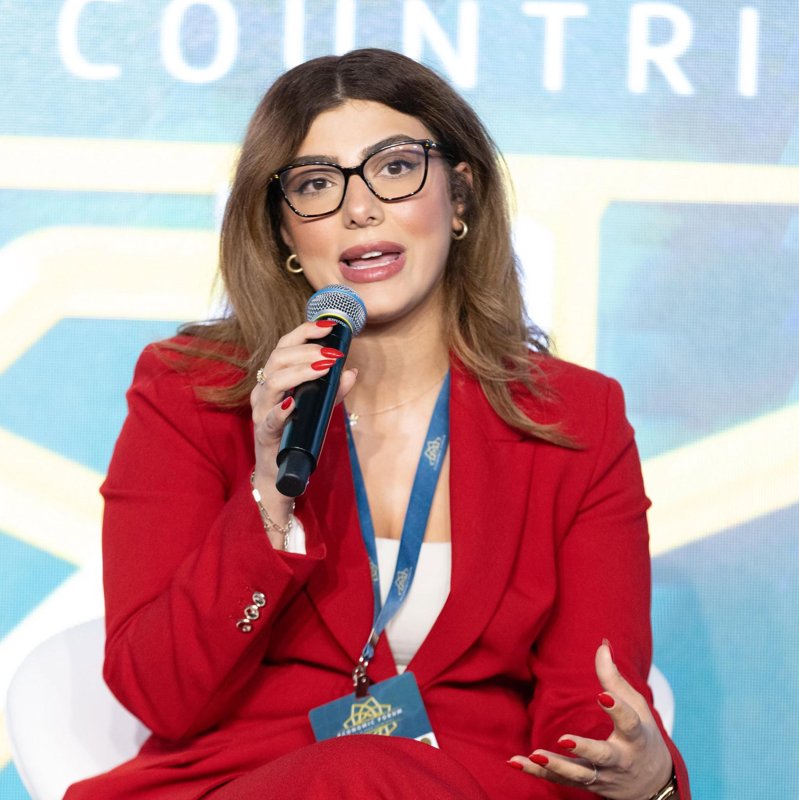
Assistant Director
The New Lines Institute for Strategy and Policy
Dr. Dania Arayssi is an assistant director of New Lines Institute for Strategy and Policy, where she leads the different research and portfolio centers including the Central Asia Center, in addition to analysis of the dynamics of political economies in Lebanon, Syria, and the broader Middle East. Her research and policy work focus on political behavior, institutional trust, economic vulnerability, and the political effects of remittances. Arayssi also engages directly with U.S. policymakers and institutional stakeholders, producing analyses that inform congressional and executive branch decision-making. Arayssi also serves as an adjunct assistant professor at Georgetown University’s Edmund A. Walsh School of Foreign Service and teaches at George Washington University. Before joining New Lines, Arayssi held analytical and research roles with the World Bank, USAID, Oxfam America, and the U.S. Army War College. Her work has been published by Foreign Policy and the Digest of Middle East Studies as well as regional and international media outlets. She holds a Ph.D. in political science from the University of Colorado-Boulder and master’s degrees in the history of international relations, public policy, and political science, as well as a bachelor’s degree in international affairs.
Wednesday 28 October 2026
1:15 PM – 2:15 PM Now
Session D: The Role of International Organizations in Developing Learning OutcomesPanel Hall D Department of Scholarships and Cultural Relations
Open the invitation you got by WhatsApp, SMS or email and tap its link. Or tap “Sign in” and enter your phone number or email; you will get a code to type on the page. If you have not registered for the conference yet, register first.
Open the agenda and tap “Book a seat” on each session you want to attend. You cannot book two sessions at the same time, and you can cancel a booking at any time.
Open “My badge”. Show its QR code at the door; tap it to enlarge it. Under “More badge options” you can save it as a picture on your phone.
Open your profile, change what you need and tap “Save”. The change shows on your badge too.